Wednesday, September 12, 2012

The neighbors of Pakistan

( The neighbors of Pakistan)
Pakistan has four neighbors, they are:
1 China.
2 Iran.
3 Afghanistan and
4 India.
( Borders of Pakistan)
There are four borders of Pakistan, they are:

1 Border with China is 595 km. long China is North boundary.
2 Border with Iran is 805 km. long Iran is West boundary.
3 Border with Afghanistan is 2252 km. long Afghanistan is North West
4 Border with India is 1610 km. long India is East boundary

Important Days Of Pakistan

7th September is air-force day in Pakistan.
6th September is Defence-Day in Pakistan.
5th February is day of solidarity with the Kashmiris.
28th May is Takbir-Day in Pakistan.
14th August independance day of Pakistan.
23rd March Pakistan day.

Religions and Seasons of Pakistan

(Religions and Seasons of Pakistan)
Religions in Pakistan

Muslims.
Christians.
Hindus.
Parses.
Buddhists.
Sikhs etc.
Seasons of Pakistan

Summer.
Winter.
Autumn.
Spring.

Samsung Galaxy Note II Reviews


Consumer electronic giant Samsung has unveiled the much anticipated Android Jelly Bean powered Samsung Galaxy Note II at IFA – it’s big screen hybrid between a phone and tablet – or ‘phablet’.
The 5.5-inch screen is bigger than the predecessor, though the firm has managed to get the weight down. A big part of the Note II’s proposition is the utilisation of the S-Pen – a stylus which you can draw or write with.
As with the flagship smartphone, the Galaxy S3, Popup multitasking feature, so you can make the most of that big screen.  
Specs wise, it has a 1.6 GHz quad core processor, 2GB Ram, a 3,100mAh battery, an 8 megapixel rear-facing and a 1.9 MP  front-facing cameras with HD video recording.
It comes in HSPA Plus or 4G LTE connectivity versions, and 16 GB, 32 GB, and 64 GB tiers with expandable micro SD memory slot
A few interesting software features were shown off, such as Best Faces which allows users to choose the most preferred face or pose of each person from group portrait photos, and Smart Stay, which uses the camera to prevent the device from going into standby mode when it detects a user in front of the device.
It will be available in Marble White or Titanium Gray colour options, and will launch in October starting from ‘major European, Asian and Middle East markets’.
Simon Stanford, Vice President, Telecommunications and Networks, Samsung UK and Ireland, said: “Last year at IFA, we launched the Galaxy Note, which opened a new category of smart mobile devices. This year, again at IFA, we are delighted to introduce the Galaxy Note II, which will encourage users to 'unleash their creativity.’ With an unbeatable viewing experience and unique features, our customers can capture their ideas faster, express thoughts freely and manage tasks more efficiently. This device provides creativity for all, with an extraordinary experience.”
The competition heats up
Taiwanese firm HTC is reportedly set to release its own 5-inch device, set to go head-to-head with the Galaxy Note and its successor, the Note 2.
According to Asian site Digitimes the device will sport a 1794x1080 pixel resolution display, as well as Qualcomm’s powerful Snapdragon S4 processor.
A HTC spokesperson told T3: “We don’t comment on speculation or rumours. At the moment, the HTC One X has the largest screen [4.7 inches] out of all of our handsets.”

http://www.youtube.com/watch?v=5DcgZum8M1o&feature=share

Tuesday, September 11, 2012

Some Abbreviations which are not known to many of us...


World's 1st laptop

World's 1st laptop Released in 1981 by the Osborne Computer Corporation, the Osborne 1 is considered to be the first true portable computer.

World's First Motorcycle.

This one's really a collection piece. The First Motorcycle was created in 1885 in Stuttgart, Germany. It was designed and built by the German inventors Gottlieb Daimler and Wilhelm Maybach. The invention was also the first petroleum-powered vehicle.

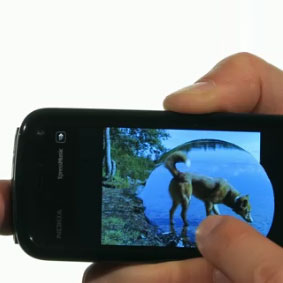
3D Nokia Photo Browser s60v5 app

Amazing gallery interface. Just like apple iphone. You can zoom picture with a click of your finger, change picture like water flow, rotate vertical to horizontal view with your eccelerometer sensor and many more.


                                                     Download now


Automatic Message Hider s60v5 app

What Is The Future of Mobile Commerce?

The proliferation of mobile devices globally has changed the way consumers shop, both offline and online. No longer are brick-and-mortar shops the first point of contact in a shopper’s purchase cycle. They’re increasingly using mobile sites and dedicated apps to make better, more informed purchases. So the question remains – how can publishers and app developers capitalize on this opportunity?

One thing is for certain; in-app purchases can be a developer’s proven route to monetization. According to Business Insider’s Analysis of App Store Data, 93 percent of the top 100 grossing iPhone apps use in-app commerce. Of those 100 grossing apps, two-thirds are free-to-download apps. High-level or power users of apps are typically the ones making the majority of in-app purchases. And the more frequently and consistently these power users interact with an app (upwards of 10 app sessions), the more likely they are to make an in-app purchase. Take for example the largest Internet retailer, Amazon. It recently added in-app purchases as part of its larger mobile advertising strategy. This new feature will use Amazon’s one-click purchasing, letting consumers buy an item without having to exit the application they’re using. Keen to deliver more content for its Kindle Fire tablet (and compete with Apple’s iPad), each movie and book download made within the app will help Amazon make substantial revenue gains.

Another example of the monetization potential of in-app purchases is the Magic Piano by Smule app. It was first developed specifically for iPads as a pay-to-download app that costs $2.99. Months later, the iOS developer released a version for the iPhone, which was free-to-download and offered a few songs at the start. To ensure the app delivered consistent streams of mobile revenue, the iOS developer released additional songs every Wednesday from popular artists like Lady Gaga, Jason Mraz and Britney Spears – available as an in-app purchase using a special type of currency called Smoola. These Smoolas are sold in packs of 160, starting at $1.99, and tracks cost anywhere between 25 and 75 Smoolas each. We’ve already seen these types of in-app purchases prove to be huge revenue drivers for game makers like Zynga. Clearly, there is a very compelling business case for why more app developers should leverage in-app purchases to earn revenue from consumers.

Did you know that one in six Smartphone users in Europe access online retail sites and apps on their mobile devices? To top it off, one in eight Smartphone users in the EU5 countries actually completed a retail transaction on their phones, according to comScore. As recently as a few months ago, British supermarket chain Sainsbury’s put its mobile commerce strategy into motion with the launch of a mobile-optimized site that lets shoppers choose from over 200,000 grocery items to purchase using their phones. The newly launched mobile site was designed with a very specific goal in mind – to make customers’ lives easier and deliver a rich, useful shopping experience no matter where customers are when they decide to do grocery shopping. Given Forrester Research’s European Mobile Commerce Forecast, citing that mobile spending across Europe will grow to a whopping €19.2 billion (or 6.8% of online sales) in 2017, the potential to generate revenue from mobile site purchases is one that publishers cannot afford to ignore.

Clearly, the remarkable growth of apps and mobile sites has generated a number of different revenue models for publishers and app developers. But should we be worried that the success of gaming apps like Words With Friends and Draw Something (thanks to in-app purchases) is fleeting? What types of innovation are needed for publishers to monetize traffic on their mobile sites?

Sunday, September 9, 2012

Interesting Facts About Pakistan

Pakistan (officially known as the Islamic Republic of Pakistan) is a country in South Asia. Here are some interesting facts about Pakistan that you probably don’t know!

Interesting Facts About Pakistan

  • Pakistan has the second largest Muslim population in the world. It is second to Indonesia.
  • About one fifth of the population live below the international poverty line (US$1.25 per day).
  • More than 60 languages are spoken in Pakistan. English is the official language of Pakistan and is used in government.
  • 96% of the population are Muslims. Just over 1.5% are Christians.
  • Pakistan has the sixth largest military force in the world.
  • Pakistan have cold, dry winters and hot, wet summers.
  • Despite once being called the world’s most dangerous country in a British magazine (The Economist), the tourism industry is growing in Pakistan.
  • The official and national sport of Pakistan is field hockey. Cricket, however, is the most popular sport. The national side won the ICC World Cup in 1992.
  • Pakistan qualified for the Golf World Cup for the first time in 2009.
  • One goal of the current government is to see the literacy rate reach at least 85% over the next few years.
  • About 1.7 million refugees from Afghanistan live in Pakistan.
  • Pakistan became an Islamic republic in 1956.
  • In 1971, there was a civil war in East Pakistan that led to the creation of Bangladesh.

Advanced Phone Lock v1.02.2x S60v5 SymbianOS9.4

Advanced Phone Lock is an integrated locker service which allows you to lock any application from your smartphone. Nobody can use the locked applications without to know the password. You can lock any important application which stores sensitive data for you like credit card numbers, financial data, passwords, images, sms messages or anything else important for you. The service is also able to lock the phone and keypad. When the phone is locked, you or somebody else have to enter the password in order to unlock and continue to use the phone as normally. The same password is used for any lock/unlock action in order to have an easy use.
* Applications Lock key features.
- you can select and lock as many as applications you wish.
- allows you to set the lock mode. If set on ”When shown”, the password to unlock the application is asked every time when you or somebody else try to use the locked application. If set on ”Use autolock”, the password to unlock the application is asked only the first time. The password will be asked later only after the inactivity time you have set in the settings.
- automatically closes/exits the application if you cancel to enter the password in the lock form. This saves memory for the normal phone usage.
- able to disable the lock if charging. This helps when you drive the car and you have plugged the phone in the car’’s charger. If you plug-in the charger and enter the password, the applications will no more be locked as long as the charger is plugged-in. You can use the phone as normally and you will not be disturbed by the lock service while you are driving. When you plug-out the charger, the applications will automatically be locked again.
- all applications lock settings can be changed (enabled/disabled)
* Phone Lock key features.

- able to lock after the phone is powered-on (lock at boot).
- you can set an autolock period after which the phone is automatically locked (1-30 minutes).
- the phone can be locked by the long press of a key (hotkey). You can define the hotkey long press period between 1 to 10 seconds and choose the hotkey from a list.
- locks the phone if the case (slider or cover) is closed or opened.
- able to lock the keypad also when the phone is locked.
- disable the phone lock if charging.
This works similar like for the applications lock described above.
- all phone lock settings can be changed (enabled/disabled).
* IMPORTANT:
- When started the first time, you need to enter the default password which is 1234. You can change the password from the main menu.
- Using Advanced Phone Lock, it is strongly recommended you lock the ”Installer” and the ”Applications Manager” built-in applications in order to prevent unauthorised persons to uninstall any application (including Advanced Phone Lock).
Download now

Trick to make any game full screen in s60v5 mobiles

Game is fullscreen if you set:
Menu –> settings –> Application manager –> Installed apps. –> select touch game in 360×640 –> Options –> Suite setting –> On-screen keyboard –> set OFF
And now we have touch-fullscreen java games
360×384

if select Navig. keys only
menu –> settings –> Application manager –> Installed apps. –> select touch game in 360×384 –> Options –> Suite setting –> On-screen keyboard –> and set Navigation keys only
360×360

we do nothing. Setting is default. We have full virtual navigation keypad

Expired Certificate Error Solution For Nokia 5800 and All s60v5

I used Nokia PC Suite to backup all these four components instead of using Nokia 5800 inbuilt backup function, which doesn’t has an option to backup Notes (but I’m not sure the ALL settings will back up the Notes).
Remove the microSD memory card.
When the phone is powered on, don’t simply remove the memory card. Otherwise, the memory card content will likely corrupt.
For past few days, I’d been busy finding workable solution to the annoyed “expired certificate” problem that happen when I attempt to install SIS/SISX program files in Nokia 5800.
There are forums and blogs mentioned that the version 10 firmware is well known for this “expired certificate” bug and thus should upgrade to the latest firmware version 11.0.008.
However, my Nokia 5800 firmware is already at this latest version out of the box. So, what’s next?
i had purchased my new nokia 5800 set.and i was really disappointed when i saw all this crap.i was like what the heck man.what is the use of this set when i cant even update or install anything.i was really disappointed but then i got something interesting to fix this crap and here it is to share with you
But now, I’m pleased to tell you that I’ve fixed this “silly bug” at last try,
How to solve the Nokia 5800 “Expired Certificate” error that fails most SIS program files installation?
To be frank, I just don’t believe that one-line reply could be a real solution for me. But, I’ve ran out of ideas and found nothing newer than his suggestion.
So, I simply take it as last resource to try. Eventually, this simple trick does works magically, and I can’t wait to tell him how excited and grateful I am!
For reference, here is the solution in detail
(in case you’re not sure what additional steps I’d done on top of his one-line guide):
Backup all messages, notes, calendar entries, and contacts.
To remove the microSD card when the Nokia 5800 is switched on, press the power key (the button next to the power charging port), scroll down to locate and select Remove Memory Card, opt “Yes” as the “Removing memory card will close all open applications. Remove anyway?” message is displayed.
Shortly after, the “Remove Memory Card and press OK” message appears, and then the microSD is ready to be unplugged or removed from the dedicated slot.
Notes, both SIM card and microSD card slot are next to each other on the same side (another defect, personally), don’t be careless and end up corrupting the SIM card (if you happen remove SIM card instead of microSD card).
Format the Nokia 5800
Access to touch keypad and enter *#7370# secret code (not so secret, anyway) to restore phone settings to factory default (even the user data and files are deleted).
Next, you’re prompted to enter the Nokia phone lock code. The default is 12345, if this code hasn’t been changed by yourself or any one.

Then, the phone restarts and you’ve to select the country region (just select your own country from the list, in this case), followed by request to enter current date and time.
When the phone is ready, power it off again to re-insert the memory card (for highly safety measure, unless there are nothing important kept in the memory card, e.g. picture, music, documents, etc).
As the phone is switched on again with memory card inserted, the “preparing memory card” message appears.
Finally, I’m happy to be able install all my wanted Nokia 5800 programs and games without getting the “Expired Certificate” error message that says “Certificate may not yet be valid, is expired or phone’s date setting may be incorrect”

yahoo messenger for 5800 and s60v5 App

YMTiny is a free J2ME Yahoo! Messenger which connect directly to the Yahoo’s server. Just connect with your Yahoo! ID, no other registration needed. It should work on all CLDC1.0 and MIDP2.0 devices.
Features
  • Settable message alerts: sound (midi), vibrate, flash backlight, open IM window
  • Bitmap fonts for consistent GUI
  • “Smart Ping” maintains connection and minimizes bandwidth usage
  • Receives offline messages, new mail and typing notifications
  • Set status and custom status
  • View a friend’s status, show and hide offline friens
  • Send and receive BUZZ!!!
  • Run in background and auto-restore
  • Window and scroll animations
  • stylus support
  • 54+2 Emoticons!
  • Data counter
Limitations
  • Does not support HTTP/WAP connection yet
  • Minimize function only works on some devices
Next features
  • Sends typing notifications (settable)
  • More sounds
  • Message archive
  • Conference
  • Skins

Download now

sexy Poker: Top Models S60v5 games download

Sexy Poker: Top Models™, the sequel to bestseller Sexy Poker 2004, features five ultra-hot women that will be sure to grab your attention. But don’t let these stunning girls fool you, they know they are good and they will match wits with you throughout the game. You’ll have the opportunity to challenge these girls in one of three exciting strip poker games. If you win, your prize is an exclusive striptease, available only on Sexy Poker: Top Models™. You won’t see these photos anywhere else! So what are you waiting for? Up the ante with these five sexy women!
Offers high-quality images of five incredibly alluring women in multiple poses;
- 3 game modes: 5-card draw poker, video poker, and blackjack;
- Photo gallery, so you can quickly access all of the images you have unlocked so far....


Download here

Saturday, September 8, 2012

Misty Bridge Mobile Theme for Nokia S60v5

Download this beautiful Misty Bridge theme for your Nokia Mobile/Symbian mobiles, it will work on phones like Nokia C5-03, Nokia C7, C6, E7, N8 etc. Leave comment if you like this theme and want more such themes for you mobile.

Download now

3D Green Nature s60v5 theme

Download 3D Green Nature Theme For Nokia N8, E7, E6, C6, C7, X6, X7-00, C5-03, C6-01, N97, 5800, 5530, 5230, 5233, 700, 701 and Nokia 603 Mobile Phones.


Download here

BlackBerry Bold 9700 review

We review the BlackBerry Bold 9700, a Qwerty-packing phone that's possibly the best BlackBerry ever made

BlackBerry Bold 9700 front
The new Bold solves the problems of it's predecessor
Published on Nov 26, 2009
The web browser has been given a facelift too and now claims to handle larger web pages. The trackpad, which replaces the trackball, makes it easier to move the virtual mouse pointer around the screen, although we did notice some issues with locking on to a link. It can require a bit of fiddling around to accurately select a link amongst others close by, and page scrolling within frames also proved to be a bit of a mission.
Trying to access complex websites, forums and interactive sites can be a bit of a gamble and the layouts can vary a lot from a normal desktop browser look. One alternative is to install Opera Mini 5 (currently in beta) which renders pages differently, but in doing so, the device will use it as the default browser from then on.
If you wish to open links in the normal browser again, you must uninstall Opera completely. If there’s any weak part of the new Bold, it’s the web browser. Hopefully subsequent updates will see this optimised further.
Besides email, the web and running applications you’ve got from the BlackBerry App World store, you can also play music, video and look at photographs on the high-resolution, high-definition display. Although not quite as bright as the original Bold screen (that screen is how the Bold got its name, not its large size), it is still perfectly adequate at showing pictures and videos, with a high contrast ratio.
The loud internal speaker is still there too, although listening via headphones (there’s a 3.5mm jack on the side) is recommended. The speaker might be mono, but it’s every bit as good at playing music as it is for its primary purpose; a hands-free speakerphone.
RIM supplies media synchronisation software, which can copy playlists over from iTunes or Windows Media Player (as well as pictures on the PC if you get the latest version) but you can just as happily drag and drop files to a memory card via microUSB. It will take cards from 1GB to 32GB, where available. The desktop manager will also backup your device, and encrypt the data as required.
The original Bold played video well, but the Bold 9700 does it even better - thanks in part to the faster processor inside the device. The original phone was hardly slow to operate, but there’s absolutely no lagging at all now. The phone still takes an age to boot, but this isn’t required very often unless you’re downloading and installing every app under the sun.
Even though there’s a faster processor, power consumption is down and the battery can now keep you going for two to three days with relative ease, possibly the biggest improvement over its predecessor and maybe the one aspect the seals the deal.
RIM has produced what must be the best BlackBerry of all time, and while there’s a narrower version on the horizon that will use the SureType keypad instead of the full Qwerty, we can’t see any reason that you might think the Bold 9700 is too big.
Even if the Bold 9700 won’t be your main phone (although there’s no logical reason for not using this to make calls), it is the ultimate BlackBerry. Better still, unlike other manufacturers that bring out a new model every few months, you can relax in the knowledge that this phone should be around for some time and won’t be obsolete by next week.

Nokia Asha 311


Photo is loading...
The Nokia Asha 311, a 3.5G capacitive touch-screen device powered by a 1GHz processor.
MANILA, Philippines - Nokia has announced that the Nokia Asha 311 is now available for purchase in the Philippines.
The Nokia Asha 311 is a fast and fluid 3.5G capacitive touch-screen device powered by a 1GHz processor to provide a great Internet experience to consumers who want to be set free from excessive data consumption costs and short battery life.
The engaging, fully redesigned Nokia Asha Touch interface sits at the heart of an incredibly rich mobile Internet experience.
With just a single swipe, users are able to:
• Enjoy faster and more affordable Web browsing. The Nokia Asha 311 takes full advantage of the Nokia Browser 2.0, a major recent update that uses Nokia’s cloud technology to make Internet browsing up to twice as fast and 85 percent cheaper than with comparable browsers.
• Enjoy a world of entertainment. The Nokia Asha 311 comes with 15 levels of Angry Birds as a free, pre-loaded app, as well as a gift of 40 free-to-download EA games, including Tetris, Bejeweled, Need for Speed The Run and EA SPORTS FIFA 12. Nokia Store makes it simple for users to find and select from more than 32,000 content items, including apps, available for Asha devices.
• Stay in touch and informed. The pre-loaded social application allows users to keep track of their friends and family on Facebook and Twitter directly from the home screen. Messaging apps like WhatsApp make it easy to communicate in real-time, while the pre-loaded Nokia Maps means that users need never get lost again.
The Nokia Asha 311 features a 3.2MP camera and can support up to 32GB of expandable memory. It is available in four colors: sand white, blue, dark gray, and rose red.
“Consumers have told us that they want a fast mobile Internet experience and access to thousands of apps, all packaged in a powerful, beautifully designed device — and we are confident that we have delivered exactly that,” said Dharmesh Goshalia, general manager of Nokia Philippines.
“The Nokia Asha 311brings a quick and responsive full-touch experience to Filipinos at an attractive price, packed with benefits for cost-savvy and style-conscious consumers,” Goshalia added.

Twitter Delicious Facebook Digg Stumbleupon Favorites More

 
Powered by Blogger